Choosing the hardware
Which mini-PC, how much RAM, which SSD? The jargon-free buying guide for a machine that runs a coding agent and AI models locally.
In this guide
- 01The three things that really matter (in order)
- 02Which form factor?
- 03iGPU or dedicated graphics card?
- 04Frugal and silent: perfect for 24/7
- 05Don’t want to buy? The VPS option
- 06The recommendation table
- 07The machines I recommend (and have tested)
- 08The ports to check before buying
- 09Frequently asked questions

Guide checked 3 months ago: some commands may have changed. Let us know if so.
In short
For local AI, memory decides everything: 32 GB for a compressed 30-billion-parameter model, 64 GB to be comfortable, 128 GB for the biggest ones. Unified-memory machines (Ryzen AI Max, Mac, DGX Spark) lend most of it to the graphics processor, which no consumer card can do. The memory shortage has pushed prices up: about €1,400 for 32 GB and €2,200 for 64 GB with a Ryzen AI Max (Framework Desktop without SSD, 30 September 2026). If the model stays in the cloud, a 16 GB mini-PC or an old PC is enough.
Do this first: Project ideas
Before you buy anything, good news: a coding agent wired to a cloud model runs just fine on a small PC costing a few hundred euros. Running AI at home is another story: there’s one criterion that matters more than all the others, and it’s precisely the one the memory shortage has made expensive. Let’s untangle it together, no jargon.
The three things that really matter (in order)
Forget the marketing. To run AI locally, here’s what counts, ranked from most to least important.
1. RAM, by far factor number 1
This is the decision. To answer, an AI model has to fit entirely in memory. Not enough RAM, and the model simply won’t load, or it crawls horribly. Here are the concrete tiers:
- 16 GB: the bare minimum. Enough to run the coding agent (which can lean on a cloud model), but too tight for a real local AI model. Avoid it if you can.
- 32 GB: comfortable. On a unified-memory machine, about 24 GB go to the graphics processor: enough to run a 30-billion-parameter model in a quantized (compressed) version, which already covers a huge range of needs. A solid entry point.
- 64 GB: the sweet spot. This is where local AI gets really serious: you load big models, you keep headroom for the system and the agent at the same time. If you’re torn between 32 and 64, take 64.
- 96 GB and up: the luxury. For the heaviest models or running several things in parallel. Nice, but not necessary to start. That’s where my machine sits: 128 GB, of which 96 can be used by the graphics processor.
2. Memory bandwidth, the hidden speed
Less well known, but decisive for comfort. Memory bandwidth is the speed at which the processor reads RAM. And an AI model has to reread its entire memory to produce each word. The higher the bandwidth, the faster the words come out (we talk about tokens per second). A machine with fast memory “types” its text before your eyes; a slow machine doles it out word by word. Keep an eye on this point, especially on Macs (see below), where unified memory is particularly fast.
3. The NVMe SSD, fast and roomy
The models are big: count on ~20 GB per model, and you’ll quickly collect several. Aim for an NVMe SSD of 1 TB minimum. NVMe (and not the old SATA SSD) because loading 20 GB into memory at launch should be nearly instantaneous, not a coffee break.
So what about the processor?
It matters less than you think for this use. Any AMD Ryzen or Intel Core from the last two or three generations does the job easily. Don’t pay extra for the fastest CPU, put that money into RAM. It’s the RAM that decides what you’ll be able to do.
Which form factor?
Several families, all valid. Stay neutral, choose based on your budget and your preferences.
- Barebones or ready-to-use mini-PCs: Minisforum, Beelink, GMKtec, ASUS NUC. The most flexible choice: compact, frugal, and on the barebones versions you add the RAM and SSD yourself, so you can push memory to the max, or start small and add sticks later. The trade-off: memory sticks offer far less bandwidth than the soldered memory of unified-memory chips, so models answer more slowly.
- Apple Mac mini (M chips): an excellent alternative, and even a well-kept secret for local AI. Its unified memory is fast and shared between CPU and GPU: a 64 GB Mac mini M5 Pro runs models that a consumer graphics card can’t load. Small caveat: it runs macOS, not Linux.
iGPU or dedicated graphics card?
The big question, and the answer might surprise you. For this use:
- A dedicated NVIDIA graphics card greatly speeds up the speed of models. But it’s capped by its VRAM (16 GB most of the time, 32 GB on the most expensive consumer card, the RTX 5090), it adds noise, power draw and cost, and it rarely fits in a mini case.
- Most people get along just fine with a mini-PC with a processor/iGPU + lots of RAM, running compact MoE models (clever models that activate only a part of themselves for each answer, see Choosing your local model).
The trade-off, plainly: a dedicated GPU gives you speed, but limits your model size and adds noise. Abundant RAM gives you big models, slower but silent. To start, the “lots of RAM, no GPU” approach is the simplest and most worry-free.
Frugal and silent: perfect for 24/7
We’ll say it again because it matters: these machines are nearly silent and draw little. Count 10 to 30 W at idle for a small mini-PC, appreciably more as you move up: on a unified-memory Strix Halo, the GPU domain alone already reports around fifty. The only honest measurement is taken at the wall, with a fifteen-euro power meter. That’s exactly what you want for a box running permanently in a corner of the office. A dedicated GPU breaks that calm a bit, it’s up to you whether the speed is worth it.
Don’t want to buy? The VPS option
Another route: you can also buy nothing and rent a server in the cloud, a VPS (virtual private server). It’s a virtual machine at a host (Hetzner, OVH, Scaleway, DigitalOcean…), billed monthly, already running Linux and reachable from anywhere. Everything else in the path (agent, Docker, networking, deployment) applies just the same.
It’s a route I’ve tested less than the homemade mini-PC, so I’ll give it to you for what it is, with its trade-offs:
- For: no hardware to buy, nothing to plug in, a public IP and bandwidth from the get-go, and you scale power up or down in a few clicks.
- Against: it’s a subscription (from a few euros to a few dozen per month, ticking even while you sleep), your data lives on someone else’s machine, and above all the big local LLM isn’t part of the deal: affordable VPSes have no GPU, so you fall back on the hybrid approach (orchestrator in the cloud, the VPS serves your projects and, at best, small models). GPU offers exist, but the price climbs fast.
My take: to learn and host projects without buying anything, a small VPS is a perfectly decent playground. To run real local models, the heart of this site, nothing replaces a machine of your own, with its RAM and, if you want, its GPU. Up to you where you set the cursor.
The recommendation table
Three profiles, depending on your budget and ambition.
| Profile | RAM | What for | Reference |
|---|---|---|---|
| Discovery budget | 32 GB | Coding agent + a small quantized local model | Ryzen AI Max 385, 32 GB (€1,429), or Mac mini M6, 32 GB (€2,039) |
| Comfort (recommended) | 64 GB | The sweet spot: big local models + agent, headroom everywhere | Ryzen AI Max+ 395, 64 GB (€2,209), or Mac mini M5 Pro, 64 GB (€3,649) |
| Heavy-duty | 96 GB+ | The heaviest models, several workloads in parallel | Ryzen AI Max+ 395, 128 GB (€3,889), Mac Studio M5 Max, 128 GB, DGX Spark (about €6,100), or PC + dedicated GPU if you want the speed |
Ryzen AI Max prices are for the Framework Desktop without SSD or operating system (checked on 30 September 2026). Mac prices are for the configurations offered by Apple France, with a 1 TB SSD (checked on 1 October 2026). The DGX Spark price is the one seen at the French retailer LDLC on 30 September 2026, for a list price of $4,699 set by Nvidia. The Quelle IA pages linked here are in French.
If you should remember just one line: aim for “Comfort,” 64 GB, if your budget allows. You won’t feel cramped six months from now. If €2,000 and up is too much, the hybrid route with a small mini-PC remains excellent.
The machines I recommend (and have tested)
Enough generalities, here are concrete models, several of them put through the test bench. Four families, depending on what you want to do. The full comparison, with the Frandroid Lab measurements, is in The machines we tested.
The all-rounder mini-PC, Minisforum M2
My recommended starting point: compact, frugal, silent, and built to run 24/7 in a corner. You run the agent and a quantized local model on it without breaking a sweat, as long as you add a second memory stick: it ships with only one, which holds back its graphics processor. It’s the healthiest footprint / performance / price balance to get started. → My Minisforum M2 review on Frandroid
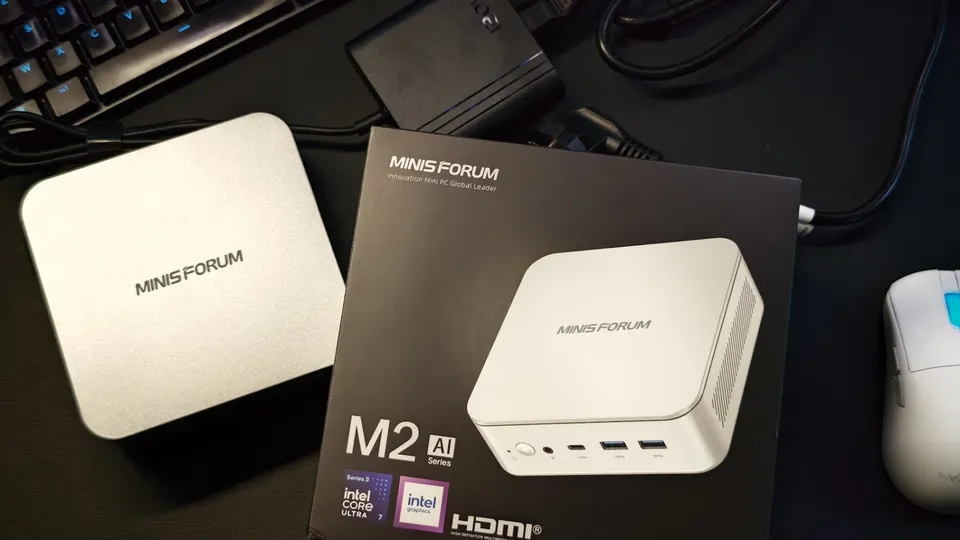
Minisforum M2
Entry level- Memory
- 32 GB
- GPU share
- not specified
- Power
- not measured
- Noise
- 43.8 dB
€1,119 checked 15 Jun 2026
Price: 32 GB and 1 TB
A well-made desktop mini-PC, but not cut out for local AI with its single memory stick. Add a second stick before running a model.
- Efficient Panther Lake processor
- Memory upgradable to 128 GB
- Compact and quiet
- A single memory stick out of the box, which holds memory back
- Modest integrated GPU
Unified memory: Mac mini, Mac Studio & Framework Desktop
If local AI is your real subject, unified memory is a weapon. CPU and GPU share a single, very fast memory, which lets you load big models that no consumer graphics card can hold.
- Mac mini (M6, M5 Pro) / Mac Studio (M5 Max, M5 Ultra): the best of the kind on the Apple side, very fast unified memory in a tiny, silent machine. The line-up refreshed in August 2026 has been on sale since 22 September: the configuration details and the three targets I would pick are in What about a Mac mini?. The thing to remember is that you must look at memory and graphics core count, never one without the other. (Reminder: macOS, not Linux, see the box above.)
- Framework Desktop: my favorite on the x86 unified-memory side: it carries an AMD chip with generous and very fast unified memory, repairable and open like everything Framework makes. An excellent host for beefy local models, and it runs Linux. It comes in 32 GB, 64 GB and 128 GB, and can be pre-ordered with the new Ryzen AI Max+ PRO 495 and 192 GB chip (€7,659 without SSD, first batch shipping in November according to Framework, price checked on 30 September 2026). → My Framework Desktop review on Frandroid
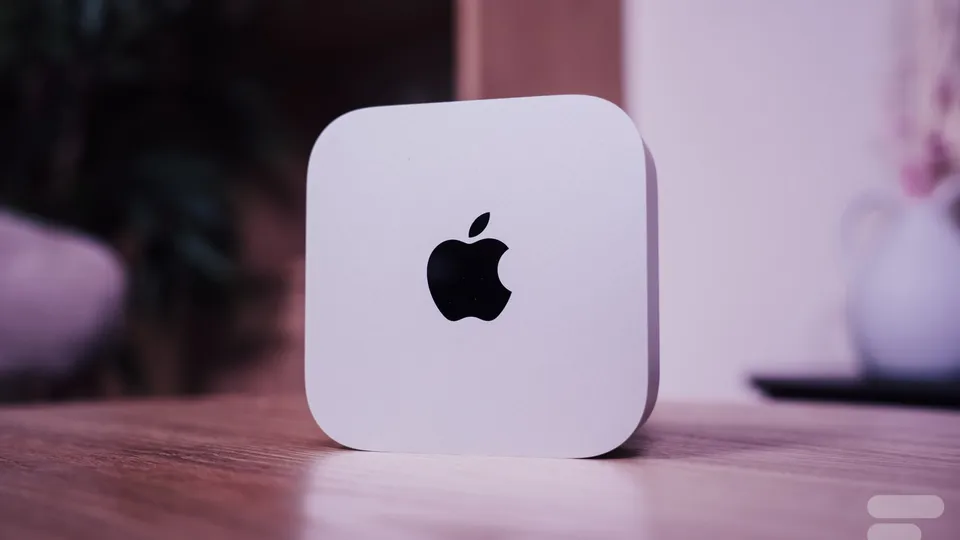
Apple Mac mini M6
Entry level- Memory
- 24 GB unified
- GPU share
- up to 17.8 GB
- Power
- not measured
- Noise
- not measured
€1,049 checked 30 Sept 2026
Price: starting price (16 GB); the 24 GB reviewed costs more
Frandroid Lab 33.1 tokens/s on 7B
The simplest Mac for local AI: fast and quiet. With 24 GB, 30B models already spill over: aim for more memory to go further.
- Quiet even at full load
- 69 tokens per second on a 3B model in the Lab
- Ultra-compact
- Only 17.8 of its 24 GB serve the model
- Rising price and overpriced options
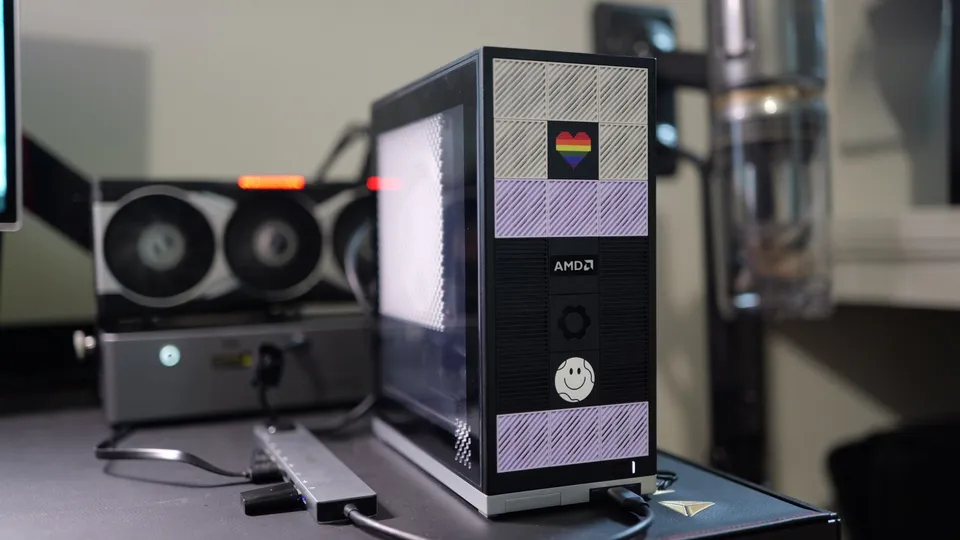
Framework Desktop
128 GB workstation- Memory
- 128 GB unified
- GPU share
- up to 96 GB
- Power
- not measured
- Noise
- not measured
€3,889 checked 30 Sept 2026
Price: DIY kit, 128 GB, no SSD or OS
The Ryzen AI Max+ 395 in a repairable case that is well supported on Linux. You pay a lot for that seriousness, especially since memory prices soared.
- 128 GB of unified memory for big models
- Exemplary repairability
- Very good Linux support
- Price has become very high with the memory crisis
- Plastic finish divides opinion
The price shown for the Mac mini M6 is for the base 16 GB version; the Framework Desktop’s is without SSD or operating system. The other unified-memory machines reviewed (GMKtec EVO-X2 and EVO-X3, DGX Spark) are compared in The machines we tested.
Why unified memory is a game changer (and how to spot it)
This is the most important technical point in this whole guide, so let’s take our time. On a classic PC, there are two separate memories: the processor’s RAM, and the graphics card’s VRAM. The GPU can only use its VRAM, often 8, 12 or 16 GB, and not a byte more. It’s a wall.
Unified memory breaks that wall: CPU and GPU share one and the same pool of memory, very fast. So you can allocate a large share of that memory to the GPU when an AI model needs it. Concretely: a 64 GB unified-memory machine can present, say, 48 GB “as VRAM” to a model. No consumer graphics card knows how to do that. This is what lets a little Mac mini or a Framework Desktop load models that a 16 GB GeForce RTX 5080, selling for around €1,850 (LDLC, 30 September 2026), simply cannot hold.
High bandwidth, a PC with a dedicated graphics card
Aiming for maximum speed, or also doing creative work (image generation, video, training)? There, a real graphics card with its dedicated memory makes full sense: its bandwidth crushes that of an iGPU, and the tokens fly. My tip to get started: the GeForce RTX 5060 Ti 16 GB, the cheapest Nvidia card with 16 GB of VRAM. The shortage has pushed its price up: the cheapest one in stock was €819.95 at LDLC on 30 September 2026. On the AMD side, the Radeon RX 9060 XT 16 GB was at the same level (€799.95), and the Intel Arc Pro B60 offers 24 GB for €799.95, with less mature software.
The ports to check before buying
Before clicking “order,” run through this little checklist:
0 of 3 steps done Your ticks stay in this browser.
-
2.5 GbE Ethernet
Not mandatory, but pleasant: fast wired networking is comfortable for transferring models or serving a project. Wi-Fi gets you by, the cable reassures.
-
Enough USB
Enough to plug in a keyboard, an install stick, an external drive for backups. Check there are at least two or three ports.
-
SODIMM RAM, upgradeable
The detail that changes everything: on barebones models, the RAM is in SODIMM sticks that you install yourself. You choose your capacity and you can upgrade later. Steer clear (for this project) of classic mini-PCs where the RAM is soldered and fixed. The exception: unified-memory machines (Mac, Ryzen AI Max, DGX Spark), whose soldered memory is precisely what makes it fast. It’s chosen at purchase and can’t be changed afterward, so go big.
All the commands in this guide
Frequently asked questions
Do you need a dedicated graphics card to run AI locally?
It is not essential. A dedicated card speeds up responses considerably, but it is capped by its video memory (16 GB most often, 32 GB on an RTX 5090) and adds noise, power draw and cost. To get started, a mini-PC with plenty of memory and no graphics card remains the simplest, most relaxed approach.
Does the processor matter for local AI?
Less than you might think. Any AMD Ryzen or Intel Core from the last two or three generations will do. Put the money into memory first, then look at memory bandwidth, which sets how fast words come out, and plan for an NVMe SSD of at least 1 TB.
What does 'quantized' mean for an AI model?
Quantizing a model means compressing it so it takes up less memory, at the cost of a small, often imperceptible loss of quality. A 30-billion-parameter model shrinks from about 60 GB to about 20 GB, which makes it usable on a mini-PC.
Nvidia or AMD for local AI?
Nvidia, with its CUDA platform, is the de facto standard: almost the whole AI ecosystem is built for it first, and everything works without tinkering. AMD, with ROCm, is more open and unbeatable on price per GB of video memory, but depending on the card and the tool you sometimes have to get your hands dirty. To start on the Nvidia side, the RTX 5060 Ti 16 GB is the cheapest card with 16 GB of video memory.
Can you rent a VPS instead of buying a mini-PC?
Yes. A VPS rented monthly from a host such as Hetzner, OVH, Scaleway or DigitalOcean is enough to learn and host projects, and the rest of the guide applies to it. The trade-offs: it is a subscription, your data lives with someone else, and affordable plans have no GPU, so no large local model.
Terms in this guide: AgentRAMCPU (processor)QuantizationMemory bandwidthTokenUnified memoryNVMe SSDGPU (graphics card)LinuxVRAMVPSDockerLLMOrchestrator
Spotted a mistake?
A command stopped working, a price changed?
Tools change every month. Tell me what is wrong in this chapter and I will fix it and update its date.
