What about a Mac mini?
Got a Mac mini instead of a Linux mini-PC? A large part of this guide runs on it without changing a thing. Here's what works as-is, and the few settings to adapt.
In this guide

Guide checked 3 months ago: some commands may have changed. Let us know if so.
In short
Yes, a Mac mini makes a very good workshop: coding agents, Ollama, Tailscale, Cloudflare Tunnel, Git and Docker run on it as on Linux, and only the system install and a few commands change (Homebrew, launchd, the macOS firewall). Its unified memory is an asset for local AI, but you pay for it: €1,049 for the 16 GB Mac mini M6, €2,039 for 32 GB and €3,649 for the 64 GB M5 Pro (Apple France configurations with a 1 TB SSD for the last two, prices checked on 1 October 2026). Look at memory and memory bandwidth together: bandwidth is what sets the model's speed.
Do this first: Choosing the hardware
This guide is written for Linux, because it’s the most affordable path, the closest to a real server, and the most faithful to how things actually get deployed. But in real life, plenty of you already have a Mac mini sitting on a desk. Good news: it’s an excellent machine for this purpose, and a large part of what’s written here runs on it without the slightest problem.
What works exactly the same
Most of the journey doesn’t depend on the operating system. On a Mac mini, all of this applies with no adaptation whatsoever:
- Coding agents: Claude Code and OpenCode run natively on macOS. Installing them works the same way.
- Local AI: Ollama has a macOS app, and the models run very well on Apple Silicon. The hybrid cloud + local setup is identical.
- AI agents: the entire chapter (the concept, the setup, agents running in the background, Hermes & OpenClaw) works the same.
- Networking: Tailscale has a macOS app, and Cloudflare Tunnel offers
cloudflaredfor Mac. You expose and reach your machine in exactly the same way. - Git, GitHub and Docker: identical (Docker Desktop on the Mac side).
- And above all, the whole Working well chapter: scoping a project, memory files, skills, review and audit, maintenance. These are methods, not system commands. They don’t change one bit.
In short: it’s mostly the system layer (the installation and a few admin commands) that differs. Everything else, the heart of the matter, is the same.
What you need to adapt
Four differences to know about, all of them simple:
| On Linux (Ubuntu) | On a Mac mini (macOS) |
|---|---|
| Install Linux from a USB stick | Nothing to do: macOS is already there. Skip the Install Linux page. |
apt install ... | Homebrew: brew install ... (install Homebrew first, it’s the go-to package manager on Mac). |
Services with systemd | launchd (or simpler, brew services start ...) to keep a service running continuously. |
ufw firewall | The macOS firewall (in System Settings → Network). The principle of least privilege itself doesn’t change (see Securing access). |
The 2026 line-up, and what it changes for local AI
Apple refreshed both machines on 25 August 2026, and they have been on sale since 22 September.
The mini gets the M6, Apple’s first chip built on a 2-nanometer process, with a 12-core CPU and GPU and a Dual 16-core Neural Engine, up to twice as powerful as the previous generation according to Apple. Above it, the M5 Pro mini takes the MacBook Pro chip: more cores, up to 64 GB of memory, but a single Neural Engine. Don’t be dazzled by that dual Neural Engine: Ollama, llama.cpp and MLX run language models on the graphics processor, and memory bandwidth sets their speed. On that front, the M5 Pro is 1.8 times faster than the M6.
Frandroid reviewed the Mac mini M6 in its 24 GB version, and its M4 predecessor at launch. On the M6, the Frandroid Lab measured 33.1 tokens per second with a 7-billion-parameter model. The prices shown are for the base versions: €1,049 with 16 GB for the M6 (checked on 30 September 2026), €699 for the M4 at launch. The other machines reviewed, Macs and mini-PCs, are compared in The machines we tested.
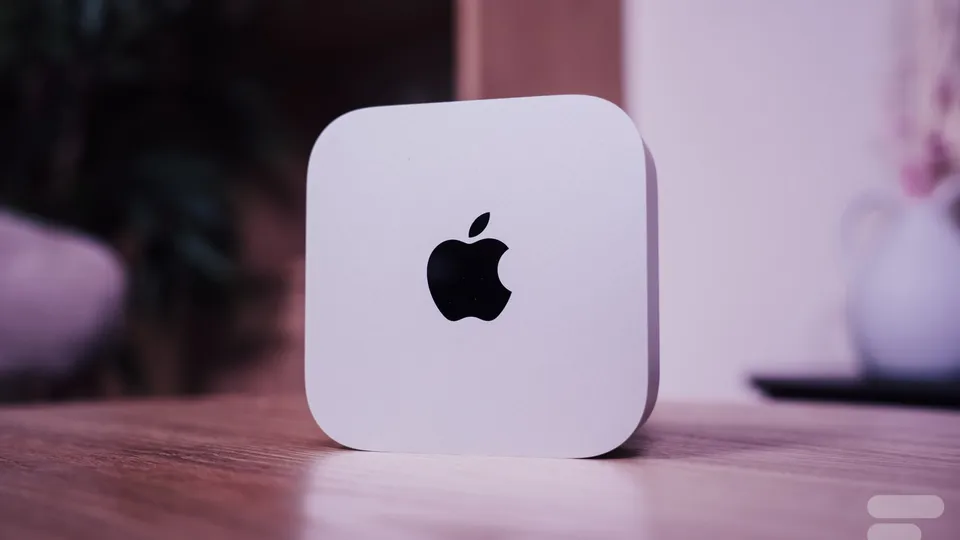
Apple Mac mini M6
Entry level- Memory
- 24 GB unified
- GPU share
- up to 17.8 GB
- Power
- not measured
- Noise
- not measured
€1,049 checked 30 Sept 2026
Price: starting price (16 GB); the 24 GB reviewed costs more
Frandroid Lab 33.1 tokens/s on 7B
The simplest Mac for local AI: fast and quiet. With 24 GB, 30B models already spill over: aim for more memory to go further.
- Quiet even at full load
- 69 tokens per second on a 3B model in the Lab
- Ultra-compact
- Only 17.8 of its 24 GB serve the model
- Rising price and overpriced options
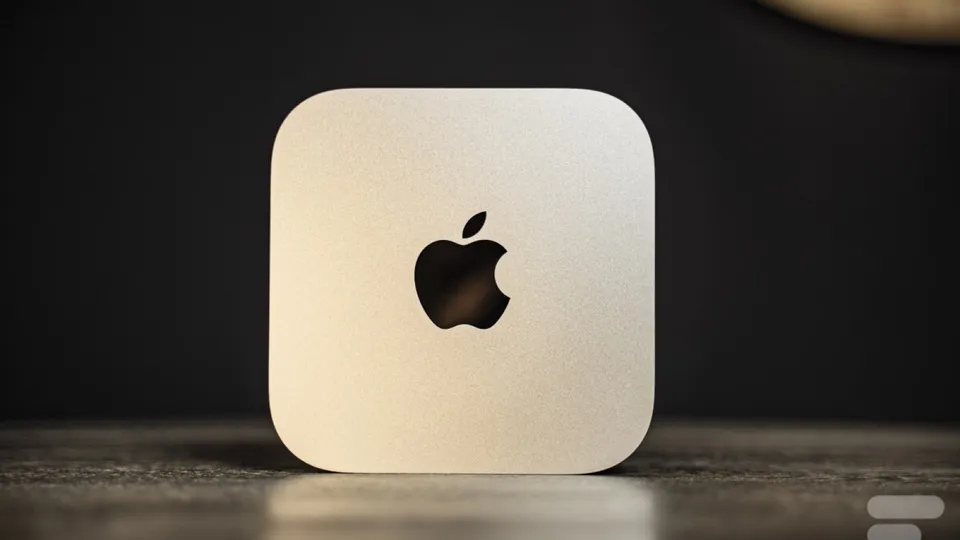
Apple Mac mini M4
Entry level- Memory
- 16 GB unified
- GPU share
- up to 11.8 GB
- Power
- not measured
- Noise
- not measured
€699 checked 18 Nov 2024
Price: launch price, 16 GB and 256 GB
A sound starting point for discovering local AI on a Mac, but its 16 GB limit you to small models. The M6 has replaced it.
- Tiny and quiet
- Reasonable base price at launch
- 16 GB of unified memory from the base model
- Very expensive memory and storage options at Apple
- Internal storage hard to replace
The Studio, for its part, doesn’t move to the M6. It keeps the M5 Max and debuts the M5 Ultra, made of two M5 Max chips joined by an interconnect running at over 4.4 TB/s.
What it actually costs
Starting prices checked on apple.com/fr (France) on 1 October 2026:
| Machine | CPU / GPU | Base RAM | Starting price | Bandwidth |
|---|---|---|---|---|
| Mac mini M6 | 12 / 12 | 16 GB | €1,049 | 153 GB/s (170 GB/s with 24 or 32 GB) |
| Mac mini M5 Pro | 15/16 or 18/20 | 24 GB | €1,999 (€2,219 for 18/20) | 307 GB/s |
| Mac Studio M5 Max | 18 / 32 or 40 | 36 GB | €2,999 (€3,659 with the 40-core GPU) | 460 GB/s (614 GB/s with the 40-core GPU) |
| Mac Studio M5 Ultra | 30 to 36 / 64 to 80 | 96 GB | €6,599 (€8,029 for 36/80) | 1.2 TB/s |
The machine links lead to Quelle IA (in French), which lists the models each configuration can run.
Memory costs €27.50 per gigabyte: on the M6 mini, going from 16 to 24 GB costs €220 at equal storage, and the Apple configurations I checked follow the same rate.
Your targets therefore come down to this, in the configurations offered by Apple (SSD included, which weighs on the price per GB):
| Configuration | Total | Price per GB of memory |
|---|---|---|
| Mac mini M6 24 GB, 512 GB SSD | €1,489 | €62 |
| Mac mini M6 32 GB, 1 TB SSD | €2,039 | €64 |
| Mac mini M5 Pro 64 GB (20-core GPU), 1 TB SSD | €3,649 | €57 |
| Mac Studio M5 Max 64 GB (40-core GPU), 1 TB SSD | €4,429 | €69 |
| Mac Studio M5 Max 36 GB (32-core GPU), 512 GB SSD | €2,999 | €83 |
Look at memory AND throughput, not one or the other
The usual reflex is to count only RAM, since it decides whether a model fits. True, and insufficient.
Once the model is loaded, what sets generation speed is memory bandwidth. Every token produced forces the machine to reread all of the model’s weights, so speed tops out at bandwidth divided by model size. Apple’s ladder climbs clearly at each step:
| Chip | Bandwidth | Ratio |
|---|---|---|
| M6 (24 or 32 GB) | 170 GB/s | baseline |
| M5 Pro | 307 GB/s | ×1.8 |
| M5 Max, 32-core GPU | 460 GB/s | ×2.7 |
| M5 Max, 40-core GPU | 614 GB/s | ×3.6 |
| M5 Ultra | 1.2 TB/s | ×7.1 |
Which translates very concretely into the model’s typing speed:
| Chip | 30B in Q4 (~19 GB) | 70B in Q4 (~40 GB) |
|---|---|---|
| M6 | ~8.9 tokens/s | doesn’t fit (32 GB max) |
| M5 Pro | ~16.2 tokens/s | ~7.7 tokens/s |
| M5 Max, 32-core GPU | ~24.2 tokens/s | ~11.5 tokens/s |
| M5 Max, 40-core GPU | ~32.3 tokens/s | ~15.3 tokens/s |
| M5 Ultra | ~63.2 tokens/s | ~30.0 tokens/s |
These are theoretical ceilings, reality runs rather between sixty and eighty percent of these values. But the order of magnitude is enough to decide: a 70B doesn’t even fit in an M6 mini, it types slowly on a 64 GB M5 Pro where it brushes the memory limit, and it becomes usable on a well-equipped M5 Max Studio. For a specific model, each machine page on Quelle IA (in French) gives an estimated speed, labelled as such.
Three targets, depending on what you do with it
Small home workshop: Mac mini M6 32 GB, €2,039 with 1 TB. Tiny power draw, silent, and enough memory for a quantized thirty-billion-parameter model. It’s the most sensible entry into local AI on a Mac. Avoid 16 GB on a new machine dedicated to this.
Maximum capacity on a mini: Mac mini M5 Pro 64 GB, €3,649 with 1 TB. This is the threshold that changes what you can load, since you leave the 30B class. A 70B in 4-bit brushes the limit there: Quelle IA counts about 47 GB usable by the GPU on a 64 GB Mac, for roughly 48 GB needed. Also know that you pay nearly 1.8 times the price of the 32 GB M6 mini.
Workshop built to last: Mac Studio M5 Max. The only one of the three that goes up to 128 GB, and the one whose memory bandwidth (614 GB/s with the 40-core GPU, required above 36 GB) makes the biggest difference once the model is loaded. With 64 GB and 1 TB, it costs €4,429. Apple doesn’t publish the price of each memory tier, so check it yourself in the configurator before deciding.
What it draws, and why that is an argument
On a machine that stays on permanently, power draw stops being a detail: it becomes a line on a bill and a source of heat in the room.
Apple publishes the maximum continuous power of its machines: 155 W for the Mac mini, 480 W for the Mac Studio. These are ceilings, rarely reached, and an idle machine draws far less. For comparison, Nvidia lists 600 W for a single RTX Pro 6000 card, not counting the PC around it.
Here is what a few average power levels cost, running all year:
| Average power | Over a year, 24/7 | Annual cost |
|---|---|---|
| 30 W | 263 kWh | ~€66 |
| 100 W | 876 kWh | ~€219 |
| 600 W (one RTX Pro 6000 flat out, card only) | 5,256 kWh | ~€1,314 |
Calculated at twenty-five cents per kilowatt-hour, the order of magnitude of the French rate.
So, Linux or Mac mini?
Both are excellent choices, and it mostly comes down to what you have on hand. A Linux mini-PC is cheaper at equal memory, more “server”-like, and hugs the deployment environment as closely as possible. A Mac mini, you may already own one, its unified memory is an asset for local AI, and macOS is probably more familiar to you. Either way, the real subject of this guide stays the same: building a workshop where you describe a project and the machine builds it with you.
All the commands in this guide
Frequently asked questions
Do you need to install Linux on a Mac mini to follow this guide?
No. macOS is already there: you skip the Linux install and go straight to installing the coding agent. All the method work (scoping a project, memory files, skills, reviewing, maintenance) stays the same, since these are methods rather than system commands.
How do you access a Mac mini remotely?
In System Settings, General, Sharing, turn on Remote Login, which is the SSH server, and Screen Sharing, which is built-in VNC. You then connect over SSH from a terminal, or through the Finder or a VNC client, and combine it all with Tailscale, as on Linux.
How do you stop a Mac mini from going to sleep?
In System Settings, Energy, set it to never sleep while plugged in. The caffeinate command also keeps it awake on demand. It then becomes a silent, frugal server available day and night.
Does the M6 chip's dual Neural Engine speed up local AI models?
Not for language models: Ollama, llama.cpp and MLX run them on the GPU, and memory bandwidth sets their speed. On that front, the Mac mini M5 Pro (307 GB/s) is 1.8 times faster than the M6 (170 GB/s with 24 or 32 GB).
Which Mac configuration should you avoid for local AI?
The base Mac Studio, 36 GB at €2,999 (price checked on 1 October 2026). It combines plenty of compute, bandwidth limited to 460 GB/s for lack of the 40-core GPU, and a memory ceiling that blocks you on exactly the models that compute would run fast. At €83 per gigabyte of memory, it is also the worst value in the range.
Terms in this guide: LinuxClaude CodeOpenCodeHermesOpenClawGitDockerMemory fileSkillUbuntuFirewallOllamaCPU (processor)Memory bandwidthTokenRAMQuantizationUnified memory
Spotted a mistake?
A command stopped working, a price changed?
Tools change every month. Tell me what is wrong in this chapter and I will fix it and update its date.
