The machines we tested: which mini-PC for AI?
The mini-PCs, Macs and AI workstations reviewed by Frandroid, sorted by use and budget, with the speeds measured in the Lab, power draw and noise.
In this guide
- 01Before you choose: three questions
- 02The agent alone, models in the cloud
- 03Small models at home (32 to 64 GB)
- 04Big models at home (64 to 128 GB)
- 05The Mac: the simplest route
- 06The AI workstation: Nvidia’s DGX Spark
- 07What the Lab measurements say
- 08What the memory crisis changes
- 09Frequently asked questions

Guide checked 3 months ago: some commands may have changed. Let us know if so.
In short
If the model stays in the cloud, a small, quiet 16 or 32 GB mini-PC is enough. To run AI at home, memory decides: 32 to 64 GB for small models, 128 GB of unified memory (Ryzen AI Max+ 395, like the GMKtec EVO-X2) for the big ones, where the Frandroid Lab measured gpt-oss 120B at 35.7 tokens per second. The Mac mini M6 is the simplest route but tops out at 32 GB, and Nvidia's DGX Spark is mostly for people who develop with CUDA. Prices have climbed with the memory crisis: check them before you buy.
Do this first: Choosing the hardware
The Choosing the hardware guide gives you the method: memory first, bandwidth second, processor last. Here we get to the machines. All of them were reviewed by Frandroid, and nine went through the Frandroid Lab, which measures model speed, power draw and noise. They are sorted by use, from the small server that only hosts the agent up to the AI workstation costing over €6,000.
Tool
Which machine for me?
Three questions, and the reviewed machines that answer them. The rules follow the Choosing the hardware guide: memory decides what fits, budget and system do the sorting.
What I suggest
3 machines for you: Apple Mac mini M6, GMKtec EVO-T2S, Minisforum M2.
Nothing under this budget in the selection for this use: here are the cheapest machines that fit.
With the models in the cloud, the machine hosts the agent and your projects: no need to spend more, even if your budget allows it.
No Mac in the selection can hold big models: the Mac mini M6 tops out at 32 GB. Look at a 64 GB Mac mini M5 Pro or a Mac Studio, covered in What about a Mac mini?.
24 GB of unified memory, 17.8 GB of it usable by the graphics processor according to Quelle IA. €1,049, price checked 30 Sept 2026 (starting price (16 GB); the 24 GB reviewed costs more). Frandroid Lab: 33.1 tokens per second on 7B.
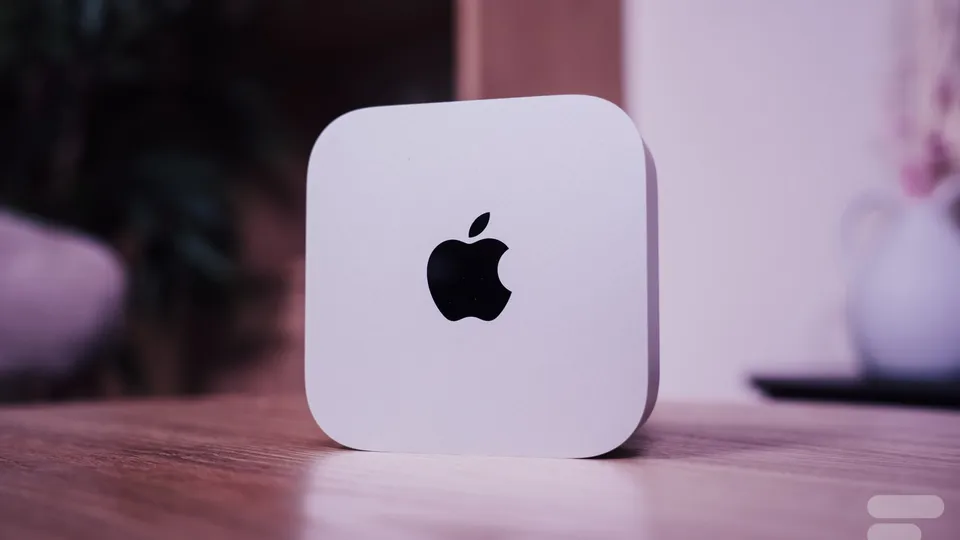
Photo: Frandroid (opens in a new tab) Apple Mac mini M6
Entry level- Memory
- 24 GB unified
- GPU share
- up to 17.8 GB
- Power
- not measured
- Noise
- not measured
€1,049 checked 30 Sept 2026
Price: starting price (16 GB); the 24 GB reviewed costs more
Frandroid Lab 33.1 tokens/s on 7B
The simplest Mac for local AI: fast and quiet. With 24 GB, 30B models already spill over: aim for more memory to go further.
- Quiet even at full load
- 69 tokens per second on a 3B model in the Lab
- Ultra-compact
- Only 17.8 of its 24 GB serve the model
- Rising price and overpriced options
64 GB of memory. €1,699.99, price checked 29 Jun 2026 (64 GB and 1 TB). Frandroid Lab: 47.1 tokens per second on 3B.
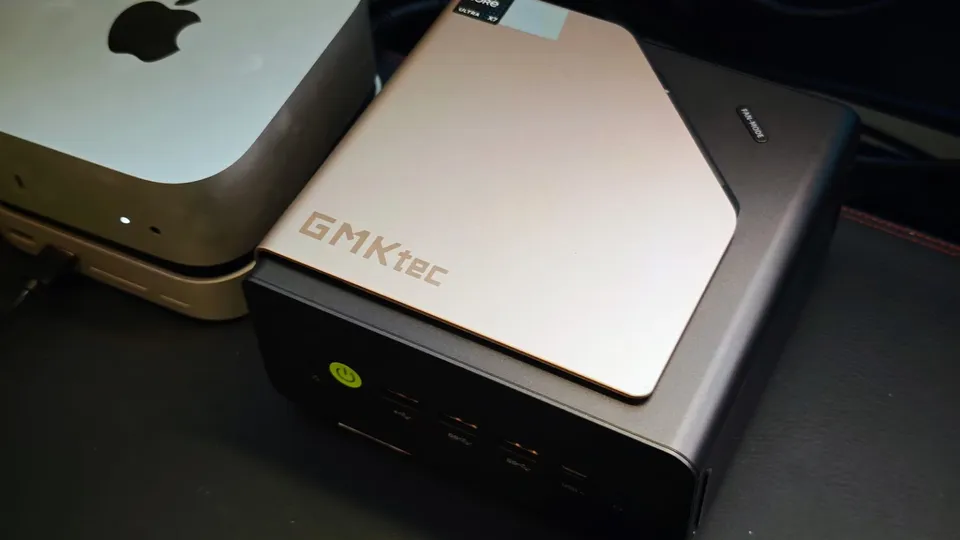
Photo: Frandroid (opens in a new tab) GMKtec EVO-T2S
Mid-range- Memory
- 64 GB
- GPU share
- not specified
- Power
- 70.1 W under load
- Noise
- 37 dB
€1,699.99 checked 29 Jun 2026
Price: 64 GB and 1 TB
Frandroid Lab 47.1 tokens/s on 3B
The most convincing Intel mini-PC for local AI, thanks to its fast memory. For models above 30B, look at the 128 GB Ryzen AI Max+ 395 machines instead.
- 64 GB of memory at 153 GB/s
- Arc B390 integrated GPU, efficient for AI
- Quiet and frugal
- Soldered memory
- Premium price
32 GB of memory. €1,119, price checked 15 Jun 2026 (32 GB and 1 TB). Frandroid Lab: 43.8 dB.
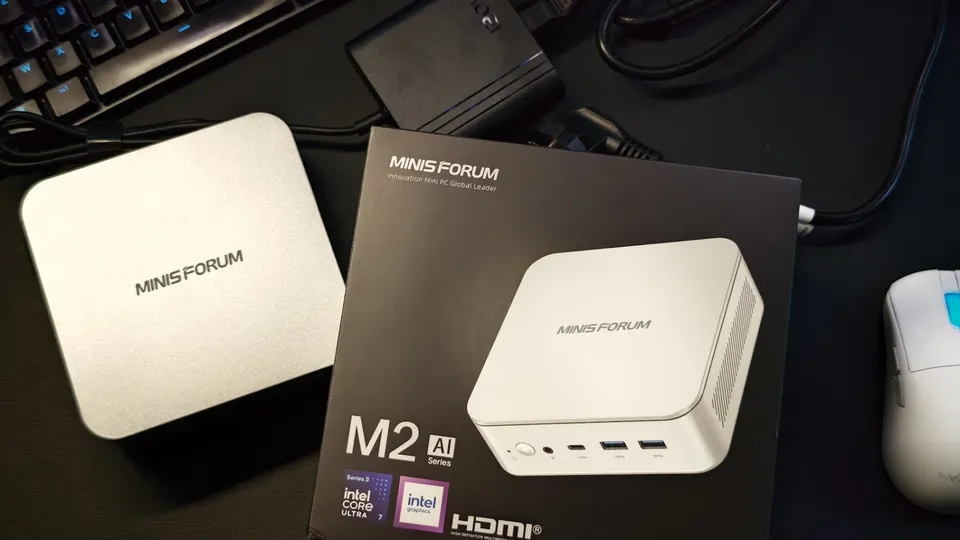
Photo: Frandroid (opens in a new tab) Minisforum M2
Entry level- Memory
- 32 GB
- GPU share
- not specified
- Power
- not measured
- Noise
- 43.8 dB
€1,119 checked 15 Jun 2026
Price: 32 GB and 1 TB
A well-made desktop mini-PC, but not cut out for local AI with its single memory stick. Add a second stick before running a model.
- Efficient Panther Lake processor
- Memory upgradable to 128 GB
- Compact and quiet
- A single memory stick out of the box, which holds memory back
- Modest integrated GPU
16 GB of memory. €700, price checked 26 May 2026 (launch price, starting from). Frandroid Lab: 34 dB.
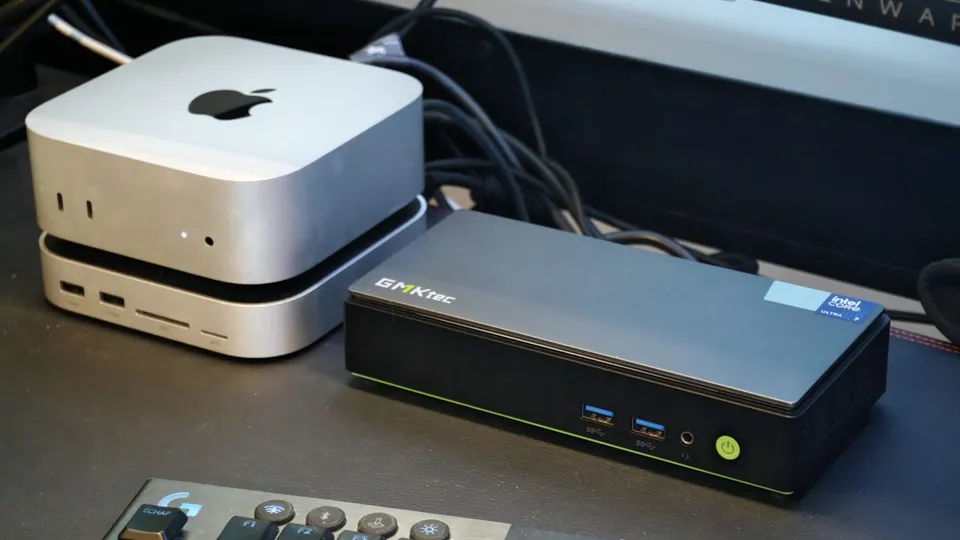
Photo: Frandroid (opens in a new tab) GMKtec NucBox K13
Entry level- Memory
- 16 GB
- GPU share
- not specified
- Power
- not measured
- Noise
- 34 dB
€700 checked 26 May 2026
Price: launch price, starting from
A discreet mini-PC for the office. Its 16 GB of soldered memory limits it to small models: don't pick it for local AI.
- Very thin and very quiet
- Power-efficient Lunar Lake chip
- 16 GB soldered, no upgrade possible
- Weaker multi-core performance
32 GB of memory. €800, price checked 31 Jul 2026 (indicative, 32 GB and 1 TB). Frandroid Lab: 16.2 tokens per second on 7B.
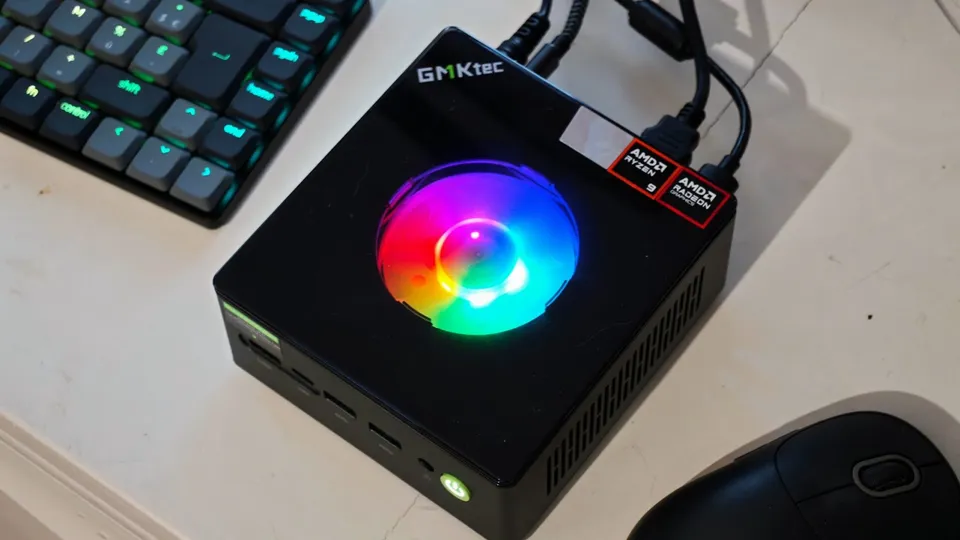
Photo: Frandroid (opens in a new tab) GMKtec NucBox K11
Entry level- Memory
- 32 GB
- GPU share
- not specified
- Power
- 12.6 W at idle
- Noise
- 34.6 dB
€800 checked 31 Jul 2026
Price: indicative, 32 GB and 1 TB
Frandroid Lab 16.2 tokens/s on 7B
A good all-round mini-PC at a reasonable price. For AI, stick to small models or plug in a graphics card over OCuLink.
- Memory upgradable to 96 GB
- OCuLink port for an external graphics card
- Very frugal at idle
- Radeon 780M GPU is weak for AI
- Noisy in Performance mode
32 GB of memory. €529, price checked 2 Feb 2025 (32 GB and 1 TB (barebone: €379)). Not yet measured by the Frandroid Lab.
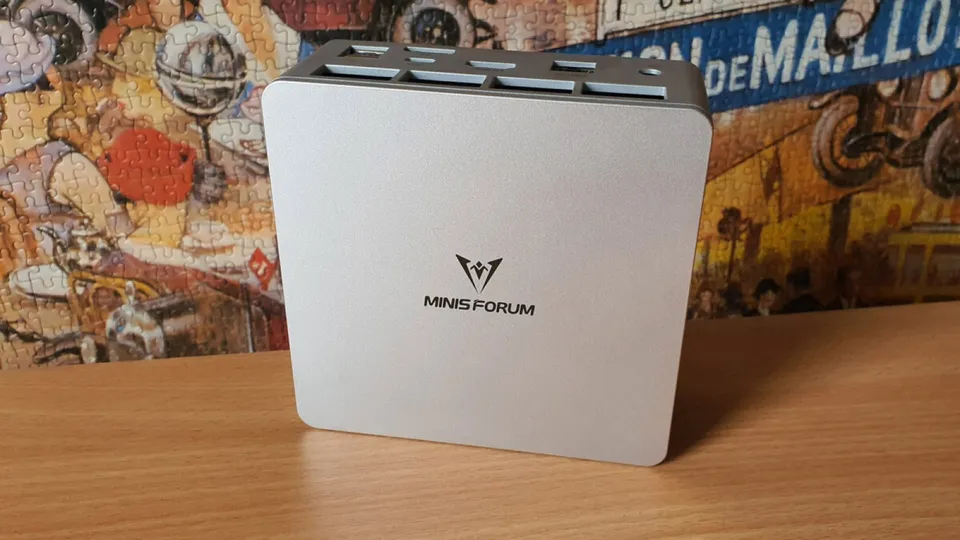
Photo: Frandroid (opens in a new tab) Minisforum UM870 Slim
Entry level- Memory
- 32 GB
- GPU share
- not specified
- Power
- not measured
- Noise
- not measured
€529 checked 2 Feb 2025
Price: 32 GB and 1 TB (barebone: €379)
The cheapest machine in our reviews when it was tested, for trying out small models. Don't ask more of it.
- Compact and affordable
- 32 GB of DDR5 out of the box
- Few USB-C ports
- Radeon 780M GPU is limited
16 GB of unified memory, 11.8 GB of it usable by the graphics processor according to Quelle IA. €699, price checked 18 Nov 2024 (launch price, 16 GB and 256 GB). Not yet measured by the Frandroid Lab.
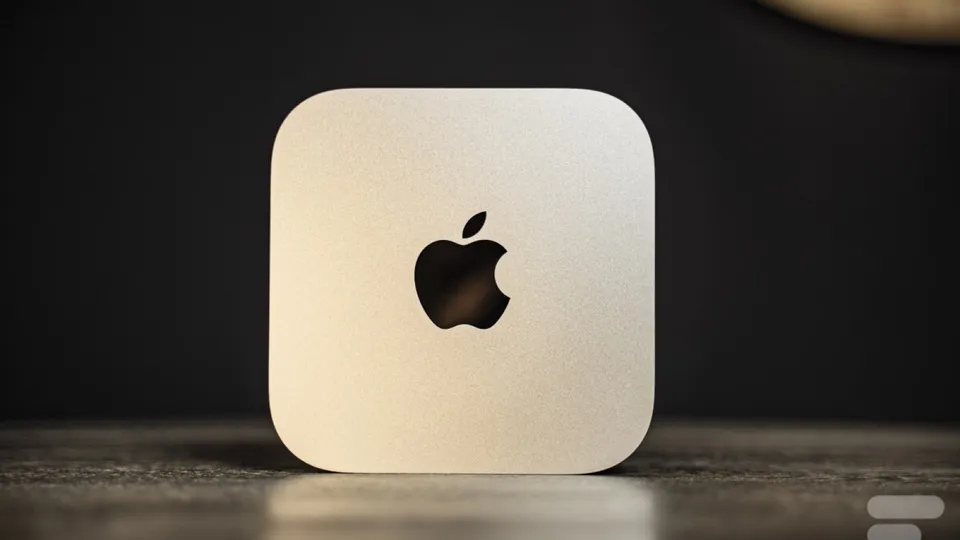
Photo: Frandroid (opens in a new tab) Apple Mac mini M4
Entry level- Memory
- 16 GB unified
- GPU share
- up to 11.8 GB
- Power
- not measured
- Noise
- not measured
€699 checked 18 Nov 2024
Price: launch price, 16 GB and 256 GB
A sound starting point for discovering local AI on a Mac, but its 16 GB limit you to small models. The M6 has replaced it.
- Tiny and quiet
- Reasonable base price at launch
- 16 GB of unified memory from the base model
- Very expensive memory and storage options at Apple
- Internal storage hard to replace
32 GB of memory. €999, price checked 24 Nov 2025 (at time of review, 32 GB and 2 TB). Not yet measured by the Frandroid Lab.
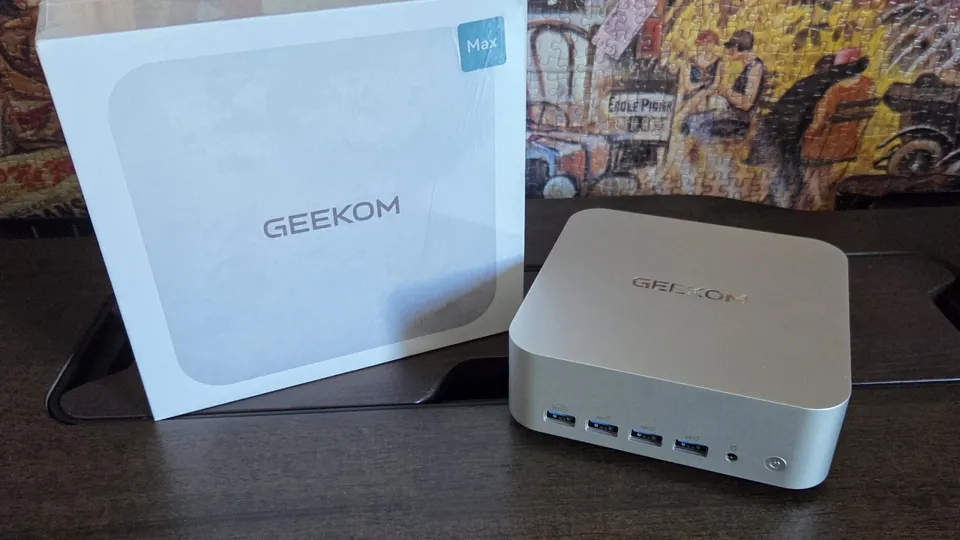
Photo: Frandroid (opens in a new tab) Geekom A9 Max
Entry level- Memory
- 32 GB
- GPU share
- not specified
- Power
- not measured
- Noise
- not measured
€999 checked 24 Nov 2025
Price: at time of review, 32 GB and 2 TB
A balanced AMD mini-PC at a reasonable price. It will run mid-size models if you add memory.
- Strong Ryzen AI 9 HX 370
- Memory upgradable to 128 GB
- USB4 and 2.5 GbE
- GPU still limited
- Runs hot under heavy loads
32 GB of memory. €1,399, price checked 6 Aug 2026 (Core Ultra 5 336H, 32 GB and 1 TB). Frandroid Lab: 8.3 tokens per second on 7B.
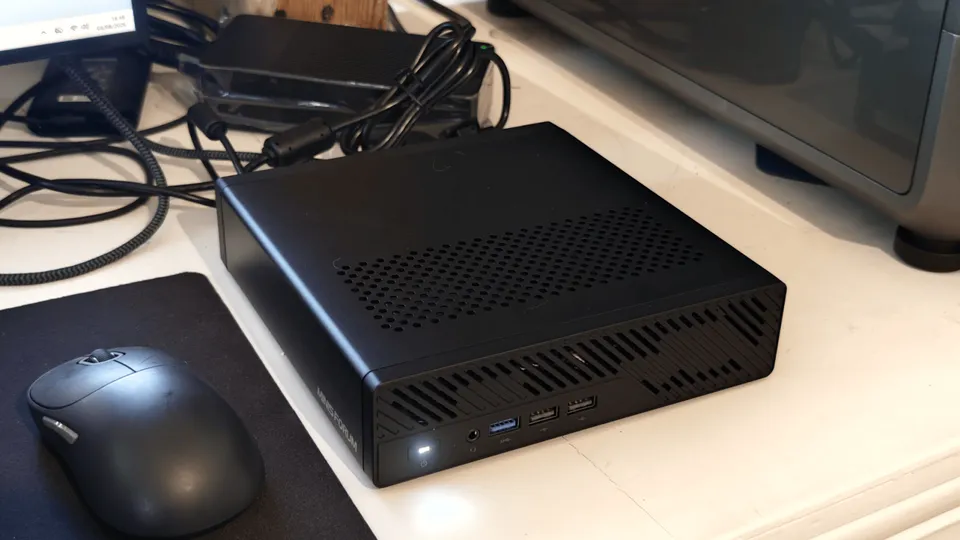
Photo: Frandroid (opens in a new tab) Minisforum MS-03
Entry level- Memory
- 32 GB
- GPU share
- not specified
- Power
- 23.1 W at idle
- Noise
- 45.2 dB
€1,399 checked 6 Aug 2026
Price: Core Ultra 5 336H, 32 GB and 1 TB
Frandroid Lab 8.3 tokens/s on 7B
A networking and server machine first and foremost. For AI, you will need a compact graphics card, which is hard to find in Europe.
- PCIe slot for a compact graphics card
- Triple 10 GbE networking
- Weakest integrated GPU in our reviews
- Single-channel memory out of the box
64 GB of unified memory, 48 GB of it usable by the graphics processor according to Quelle IA. €2,719, price checked 12 Sept 2026 (reviewed version, 64 GB). Not yet measured by the Frandroid Lab.
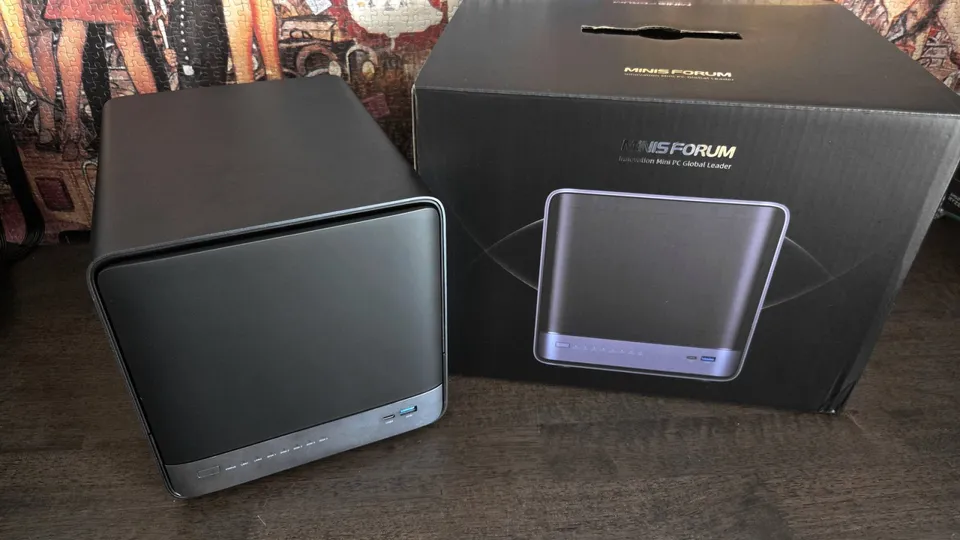
Photo: Frandroid (opens in a new tab) Minisforum N5 MAX AI NAS
Mid-range- Memory
- 64 GB
- GPU share
- up to 48 GB
- Power
- not measured
- Noise
- not measured
€2,719 checked 12 Sept 2026
Price: reviewed version, 64 GB
A NAS that can also run models locally. Choose it if you want storage and AI in a single box; otherwise a mini-PC costs less.
- Ryzen AI Max+ 395 and five storage bays
- Dual 10 GbE and three USB4 ports
- No throttling under load
- Very high price
- Noisy
128 GB of unified memory, 96 GB of it usable by the graphics processor according to Quelle IA. €1,899.99, price checked 29 Jun 2026 (64 GB with a promo code; 128 GB costs more). Frandroid Lab: 92.6 tokens per second on Qwen3 30B.
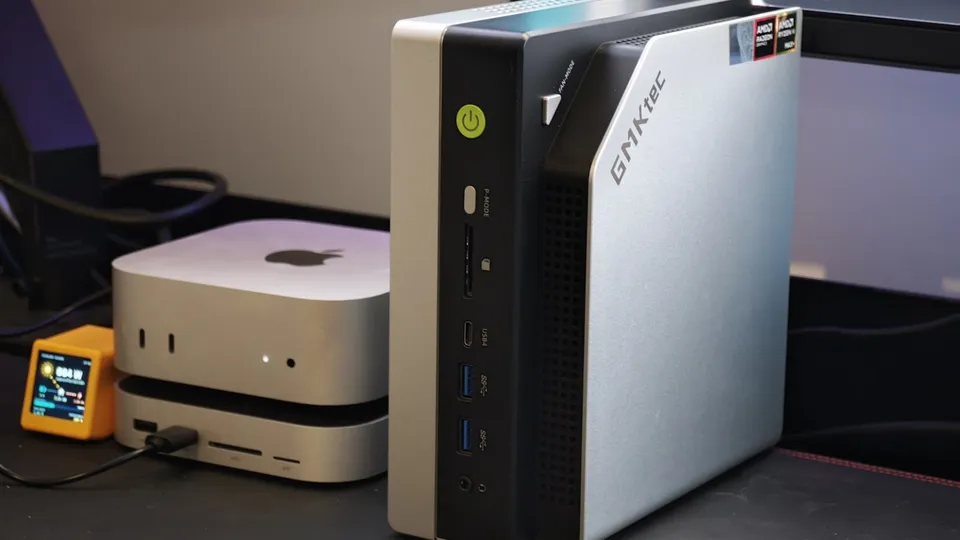
Photo: Frandroid (opens in a new tab) GMKtec EVO-X2
128 GB workstation- Memory
- 128 GB
- GPU share
- up to 96 GB
- Power
- 128.9 W under load
- Noise
- 47 dB
€1,899.99 checked 29 Jun 2026
Price: 64 GB with a promo code; 128 GB costs more
Frandroid Lab 35.7 tokens/s on gpt-oss 120B
The reference mini-PC for local AI: it runs a 120B model on its integrated GPU. Plan for a BIOS tweak for AI, and power draw that climbs to 130 W under load.
- Runs gpt-oss 120B at 35.7 tokens per second
- 128 GB of unified memory
- Noise well controlled for its power (47 dB at full load)
- Up to 130 W under load
- BIOS tweak needed for AI
128 GB of unified memory, 96 GB of it usable by the graphics processor according to Quelle IA. €2,599, price checked 10 Nov 2025 (price at time of review, 128 GB). Frandroid Lab: 35.2 tokens per second on Qwen3 30B.
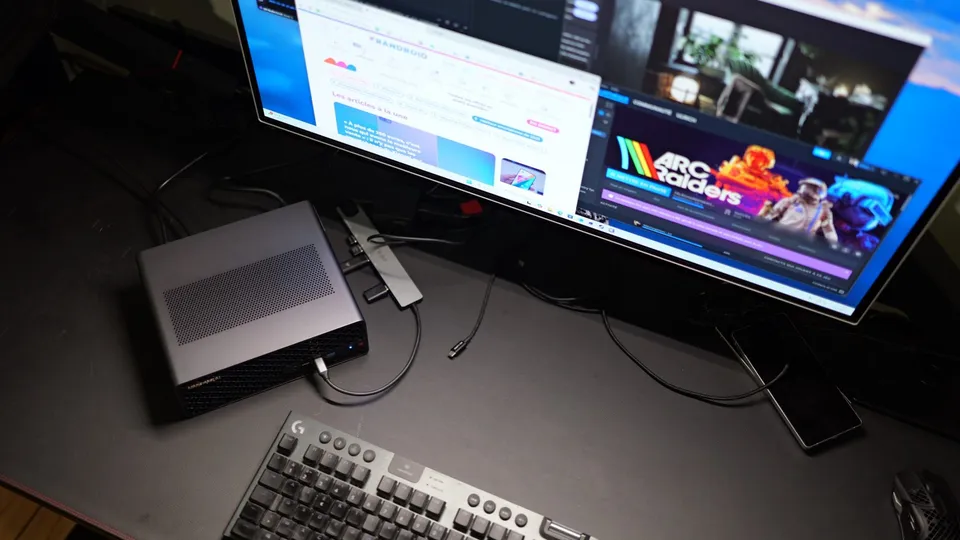
Photo: Frandroid (opens in a new tab) Minisforum MS-S1 Max
128 GB workstation- Memory
- 128 GB
- GPU share
- up to 96 GB
- Power
- not measured
- Noise
- not measured
€2,599 checked 10 Nov 2025
Price: price at time of review, 128 GB
Frandroid Lab 17.3 tokens/s on gpt-oss 120B
A good Ryzen AI Max+ 395 machine, provided you reserve memory for the GPU in the BIOS. Measured in the Lab with very little graphics memory, it ran half as fast as the EVO-X2.
- 128 GB of unified memory
- 16-core Zen 5 processor
- Full set of ports
- Soldered memory, PCIe slot limited to x4
- Without a BIOS tweak, AI runs half as fast
128 GB of unified memory, 96 GB of it usable by the graphics processor according to Quelle IA. €3,499.99, price checked 7 Sept 2026 (reviewed configuration, 128 GB). Frandroid Lab: 90.3 tokens per second on Qwen3 30B.
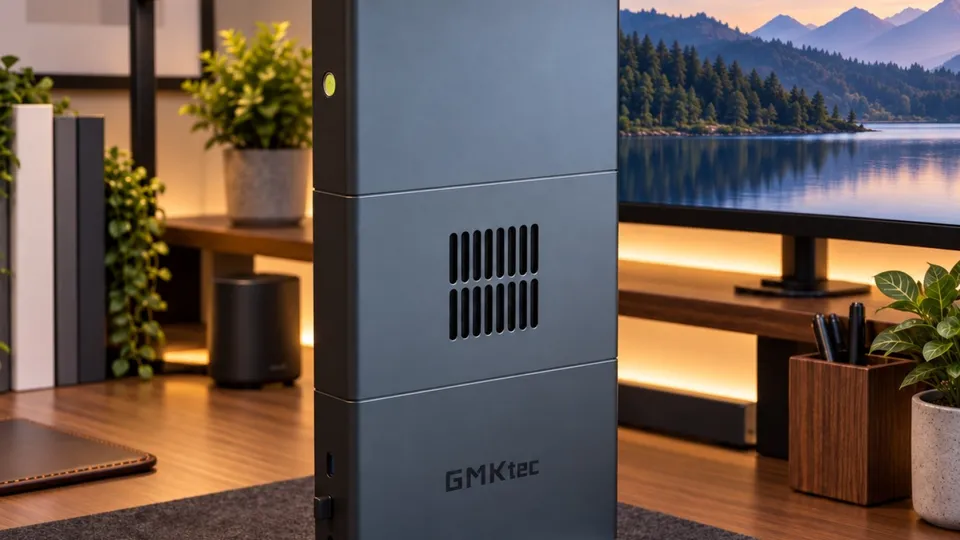
Photo: Frandroid (opens in a new tab) GMKtec EVO-X3
128 GB workstation- Memory
- 128 GB
- GPU share
- up to 96 GB
- Power
- 186 W under load
- Noise
- 48.6 dB
€3,499.99 checked 7 Sept 2026
Price: reviewed configuration, 128 GB
Frandroid Lab 5.3 tokens/s on 70B
The best-cooled Strix Halo we have reviewed, as fast as the EVO-X2 for AI. Plan for the desk space and the budget.
- From 3B to 70B models entirely on the integrated GPU
- Outstanding cooling
- Quiet on short workloads
- Bulkier than a typical mini-PC
- Up to 186 W under load in the Lab
128 GB of unified memory, 96 GB of it usable by the graphics processor according to Quelle IA. €3,889, price checked 30 Sept 2026 (DIY kit, 128 GB, no SSD or OS). Not yet measured by the Frandroid Lab.
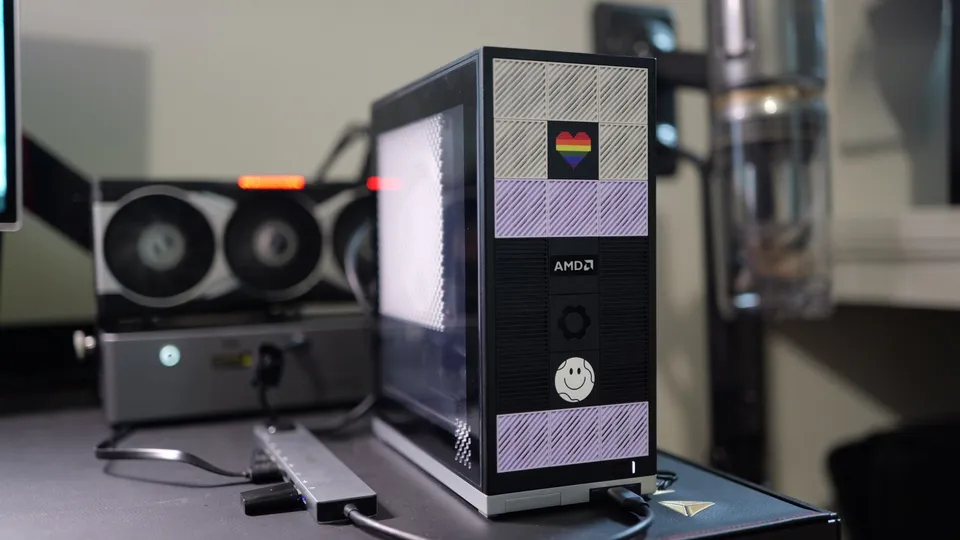
Photo: Frandroid (opens in a new tab) Framework Desktop
128 GB workstation- Memory
- 128 GB unified
- GPU share
- up to 96 GB
- Power
- not measured
- Noise
- not measured
€3,889 checked 30 Sept 2026
Price: DIY kit, 128 GB, no SSD or OS
The Ryzen AI Max+ 395 in a repairable case that is well supported on Linux. You pay a lot for that seriousness, especially since memory prices soared.
- 128 GB of unified memory for big models
- Exemplary repairability
- Very good Linux support
- Price has become very high with the memory crisis
- Plastic finish divides opinion
Prices are dated: most go back to the review and may have moved since, sometimes a lot. Check them on the day you buy.
To see which models fit on each machine:Quelle IA, machine by machine (in French)
How these machines are picked
- Agent only: 16 to 32 GB of memory, no graphics card. The machine only hosts.
- Small models: 32 to 64 GB, or a Mac that leaves at least 16 GB to the graphics processor (a 14B fits). On a mini-PC with memory sticks, you need two of them.
- Big models: 64 GB of unified memory or more (Ryzen AI Max, Mac, DGX Spark). An 8 GB graphics card is not enough.
- Budget: the recorded price must stay under the top of the range. A cheaper machine is still offered if it fits.
- Order: first the machines recommended in this guide, then those measured by the Frandroid Lab, then the cheapest. Three at most.
Before you choose: three questions
0 of 3 steps done Your ticks stay in this browser.
-
Where does the model run?
If the agent calls a model in the cloud (Claude, for example), the machine only hosts your projects: it needs neither much memory nor a strong graphics processor. If you want to run the model at home, everything changes.
-
What size of model?
A 7 to 14-billion-parameter model fits in 32 GB. A compressed 30B needs about twenty gigabytes usable by the graphics processor, so 32 GB of unified memory. For a 70B or larger, aim for 64 to 128 GB of unified memory. The details are in Choosing and sizing your model.
-
Where will it live?
A machine running 24/7 in a living room or bedroom must be quiet and frugal at idle. Look at noise and power draw as much as speed.
The agent alone, models in the cloud
This is the cheapest case, and where many of you start. The machine runs the coding agent, your projects, a few containers, and if needed a small model to rephrase or sort things. What matters: silence, low power, a good network. A recycled old PC does the job too.
GMKtec NucBox K13
Entry level- Memory
- 16 GB
- GPU share
- not specified
- Power
- not measured
- Noise
- 34 dB
€700 checked 26 May 2026
Price: launch price, starting from
A discreet mini-PC for the office. Its 16 GB of soldered memory limits it to small models: don't pick it for local AI.
- Very thin and very quiet
- Power-efficient Lunar Lake chip
- 16 GB soldered, no upgrade possible
- Weaker multi-core performance
GMKtec NucBox K11
Entry level- Memory
- 32 GB
- GPU share
- not specified
- Power
- 12.6 W at idle
- Noise
- 34.6 dB
€800 checked 31 Jul 2026
Price: indicative, 32 GB and 1 TB
Frandroid Lab 16.2 tokens/s on 7B
A good all-round mini-PC at a reasonable price. For AI, stick to small models or plug in a graphics card over OCuLink.
- Memory upgradable to 96 GB
- OCuLink port for an external graphics card
- Very frugal at idle
- Radeon 780M GPU is weak for AI
- Noisy in Performance mode
The NucBox K13 is very thin and almost inaudible (34 dB in the Lab), but its 16 GB are soldered: it will never grow. The NucBox K11 costs a little more and keeps some headroom: 32 GB that can be expanded, an OCuLink port to plug in an external graphics card later, and only 12.6 W at idle. The Lab measured 16.2 tokens per second on a 7-billion-parameter model, enough for small local tasks.
Small models at home (32 to 64 GB)
You want a model at home for everyday tasks, without chasing the giants. An Intel or AMD mini-PC with 32 to 64 GB is enough, on one condition: two memory sticks, or fast soldered memory. A single stick halves the bandwidth, and the integrated graphics processor chokes.
Minisforum M2
Entry level- Memory
- 32 GB
- GPU share
- not specified
- Power
- not measured
- Noise
- 43.8 dB
€1,119 checked 15 Jun 2026
Price: 32 GB and 1 TB
A well-made desktop mini-PC, but not cut out for local AI with its single memory stick. Add a second stick before running a model.
- Efficient Panther Lake processor
- Memory upgradable to 128 GB
- Compact and quiet
- A single memory stick out of the box, which holds memory back
- Modest integrated GPU
GMKtec EVO-T2S
Mid-range- Memory
- 64 GB
- GPU share
- not specified
- Power
- 70.1 W under load
- Noise
- 37 dB
€1,699.99 checked 29 Jun 2026
Price: 64 GB and 1 TB
Frandroid Lab 47.1 tokens/s on 3B
The most convincing Intel mini-PC for local AI, thanks to its fast memory. For models above 30B, look at the 128 GB Ryzen AI Max+ 395 machines instead.
- 64 GB of memory at 153 GB/s
- Arc B390 integrated GPU, efficient for AI
- Quiet and frugal
- Soldered memory
- Premium price
The Minisforum M2 is the desktop mini-PC I recommend to get started, compact and steady under load, but it ships with a single stick: add the second one before you load a model. The GMKtec EVO-T2S goes further with 64 GB soldered at 153 GB/s, the fastest memory the Lab has measured on an Intel mini-PC. The Lab got 47.1 tokens per second on a 3-billion-parameter model, entirely on the integrated graphics processor, for 70 W at most and 37 dB under load.
Big models at home (64 to 128 GB)
This is where local AI gets serious. The chip to remember is the AMD Ryzen AI Max+ 395 (codename Strix Halo): up to 128 GB of unified memory, 96 GB of which the graphics processor can use. It is what runs at my place. Several manufacturers sell it, and the differences come down mostly to cooling, noise and price.
Framework Desktop
128 GB workstation- Memory
- 128 GB unified
- GPU share
- up to 96 GB
- Power
- not measured
- Noise
- not measured
€3,889 checked 30 Sept 2026
Price: DIY kit, 128 GB, no SSD or OS
The Ryzen AI Max+ 395 in a repairable case that is well supported on Linux. You pay a lot for that seriousness, especially since memory prices soared.
- 128 GB of unified memory for big models
- Exemplary repairability
- Very good Linux support
- Price has become very high with the memory crisis
- Plastic finish divides opinion
GMKtec EVO-X2
128 GB workstation- Memory
- 128 GB
- GPU share
- up to 96 GB
- Power
- 128.9 W under load
- Noise
- 47 dB
€1,899.99 checked 29 Jun 2026
Price: 64 GB with a promo code; 128 GB costs more
Frandroid Lab 35.7 tokens/s on gpt-oss 120B
The reference mini-PC for local AI: it runs a 120B model on its integrated GPU. Plan for a BIOS tweak for AI, and power draw that climbs to 130 W under load.
- Runs gpt-oss 120B at 35.7 tokens per second
- 128 GB of unified memory
- Noise well controlled for its power (47 dB at full load)
- Up to 130 W under load
- BIOS tweak needed for AI
GMKtec EVO-X3
128 GB workstation- Memory
- 128 GB
- GPU share
- up to 96 GB
- Power
- 186 W under load
- Noise
- 48.6 dB
€3,499.99 checked 7 Sept 2026
Price: reviewed configuration, 128 GB
Frandroid Lab 5.3 tokens/s on 70B
The best-cooled Strix Halo we have reviewed, as fast as the EVO-X2 for AI. Plan for the desk space and the budget.
- From 3B to 70B models entirely on the integrated GPU
- Outstanding cooling
- Quiet on short workloads
- Bulkier than a typical mini-PC
- Up to 186 W under load in the Lab
- The GMKtec EVO-X2 is the benchmark: the Lab measured gpt-oss 120B at 35.7 tokens per second, in the “Balanced” BIOS mode. Mind the price on its card: €1,900 was for the 64 GB version with a promo code, at the time of the review; the 128 GB version tested cost more.
- The GMKtec EVO-X3 is just as fast and cools better, but it is bigger and climbed to 186 W under load in the Lab.
- The Framework Desktop costs more, but it is repairable and very well supported on Linux. Its price (€3,889 for 128 GB) was checked on 30 September 2026, without SSD or operating system.
The Minisforum MS-S1 Max uses the same chip. The Lab measured it with very little memory reserved for the graphics processor, hence speeds half as high in the table below: remember to adjust the BIOS. And if you want storage and AI in a single box, the Minisforum N5 MAX is a five-bay NAS with this chip and 64 GB, reviewed by Frandroid (in French). At €2,719 at the time of the review, it is only worth it if you were already shopping for a NAS.
To see which models fit, Quelle IA has one page per configuration (in French): Ryzen AI Max+ 395 with 64 GB (48 GB usable) and with 128 GB (96 GB usable).
The Mac: the simplest route
A Mac mini needs no tuning: macOS lends about three quarters of the memory to the graphics processor on its own. It is quiet, tiny, and Ollama runs very well on it. Its limit is memory: the Mac mini M6 goes up to 32 GB at most.
Apple Mac mini M6
Entry level- Memory
- 24 GB unified
- GPU share
- up to 17.8 GB
- Power
- not measured
- Noise
- not measured
€1,049 checked 30 Sept 2026
Price: starting price (16 GB); the 24 GB reviewed costs more
Frandroid Lab 33.1 tokens/s on 7B
The simplest Mac for local AI: fast and quiet. With 24 GB, 30B models already spill over: aim for more memory to go further.
- Quiet even at full load
- 69 tokens per second on a 3B model in the Lab
- Ultra-compact
- Only 17.8 of its 24 GB serve the model
- Rising price and overpriced options
Frandroid reviewed the 24 GB version, which leaves 17.8 GB to the model according to Quelle IA: enough for a 14B, too tight for a 30B. The Lab measured 33.1 tokens per second on a 7-billion-parameter model. The price on the card (€1,049, checked on 30 September 2026) is for the base 16 GB version; the 24 GB version costs more. For local AI, aim for the M6 with 32 GB (in French), or the M5 Pro up to 64 GB: configurations and prices are in What about a Mac mini?.
Already own a 16 GB Mac mini M4? It makes a very good server for the agent with cloud models, and it runs small models. Do not buy one for local AI: 16 GB is too tight.
The AI workstation: Nvidia’s DGX Spark
The DGX Spark is a developer machine: 128 GB of unified memory, 112 of which the graphics processor can use according to Quelle IA, and above all CUDA, the Nvidia software that nearly the whole AI ecosystem is built on. Several brands sell it under their own name; Frandroid reviewed Dell’s.
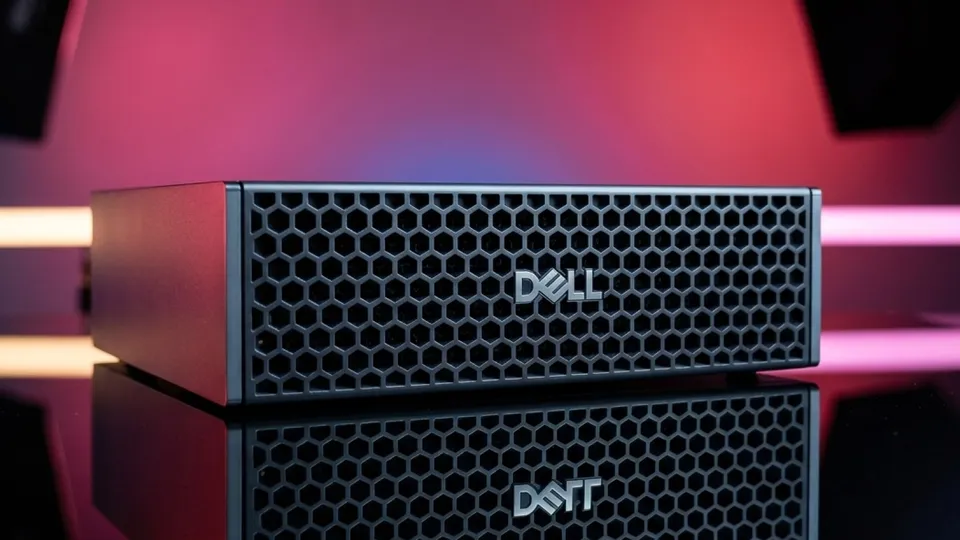
Dell Pro Max avec GB10 (Nvidia DGX Spark)
128 GB workstation- Memory
- 128 GB unified
- GPU share
- up to 112 GB
- Power
- not measured
- Noise
- not measured
€6,099.95 checked 30 Sept 2026
Price: PNY DGX Spark at LDLC, 128 GB and 4 TB
The gateway to Nvidia's ecosystem at home, with 128 GB and CUDA. Its price reserves it for people developing on that platform.
- 128 GB of unified memory and CUDA
- Preconfigured Linux, ready to use
- Several machines can be linked together
- Very high price
- LPDDR5X bandwidth holds the GPU back
The price on the card is that of PNY’s DGX Spark at LDLC, checked on 30 September 2026; the Dell version reviewed was over €7,000. Against a 128 GB Ryzen AI Max+ 395 it is a little faster: on gpt-oss 120B, third-party measurements collected by Quelle IA (in French) give 58.7 tokens per second on the DGX Spark and about 50 on a Framework Desktop, with the same benchmark tool but different versions. About 17% more speed for 57% more money (€6,100 with a 4 TB SSD, against €3,889 without SSD). It makes sense if you develop for CUDA, or want to link several machines together.
What the Lab measurements say
The table lists the machines whose generation speed the Lab measured. In each speed column, the best figure is highlighted.
| Machine | 7B | Qwen3 30B (MoE) | 32B | 70B | gpt-oss 120B | Idle | Load | Noise |
|---|---|---|---|---|---|---|---|---|
| GMKtec EVO-X3128 GB | 47.8 | 90.3 | 11.4 | 5.3 | – | 14 W | 186 W | 48.6 dB |
| GMKtec EVO-X21128 GB | 45.7 | 92.6 | 11.4 | 5.3 | 35.7 | 16.6 W | 128.9 W | 47 dB |
| Apple Mac mini M624 GB | 33.1 | – | – | – | – | – | – | – |
| Minisforum MS-S1 Max2128 GB | 22.5 | 35.2 | 5 | 2.4 | 17.3 | – | – | – |
| GMKtec NucBox K1132 GB | 16.2 | – | – | – | – | 12.6 W | – | 34.6 dB |
| Minisforum MS-0332 GB | 8.3 | – | – | – | – | 23.1 W | – | 45.2 dB |
Generation speed in tokens per second, measured by the Frandroid Lab with Ollama (default model versions, usually 4-bit quantized). Higher means faster replies; below 10 tokens/s reading becomes tedious. A dash: not measured, or too big for the machine.
- GMKtec EVO-X2: Measured in the BIOS 'Balanced' mode; a new run in performance mode is planned.
- Minisforum MS-S1 Max: Measured with very little memory reserved for the GPU: models ran on the CPU, roughly half as fast as the chip can manage.
What memory buys you
At 32 GB, with modest integrated graphics, the NucBox K11 and the MS-03 were only measured on a 7B, at 16 and 8 tokens per second: a bigger model would fit in memory, but it would crawl. With 128 GB, the EVO-X2 and EVO-X3 load everything the Lab tried, up to the 70B. But look at the speed: a dense 70B drops to 5.3 tokens per second, below the comfort threshold. Memory decides what fits; it does not promise that it will be pleasant.
The real lesson is in two columns. Qwen3 30B is an MoE model, which activates only a small part of itself for each word: it runs at over 90 tokens per second, eight times faster than a dense 32B of similar size. Same for gpt-oss 120B, at 35.7 tokens per second. On a unified-memory machine, these are the models to aim for. More on that in Choosing and sizing your model.
Unified memory or graphics card?
The Lab has not yet measured a mini-PC with a graphics card, so no figures here. The principle is simple: a graphics card is very fast, but it only sees its own memory. An 8 GB RTX leaves 6 GB to the model according to Quelle IA, against 96 GB on a 128 GB Ryzen AI Max+ 395. The card wins on small models; only unified memory loads the big ones.
The Mac mini M6 shows the other side of unified memory: on a 7B it does 33.1 tokens per second, less than the 128 GB Ryzen AI Max machines but twice the K11. It is simply limited by its capacity.
On 24/7: power draw and noise
At idle, the mini-PCs measured draw between 12.6 and 23.1 W. At 25 cents per kilowatt-hour, that is roughly €30 to €50 a year for a machine that waits most of the time. Under sustained load the gap widens: 70 W for the EVO-T2S, 129 W for the EVO-X2, 186 W for the EVO-X3. A machine running at 186 W all year would cost about €400 in electricity, but a home workshop spends most of its time idle.
Noise matters just as much if the machine lives near you. In the Lab, the NucBox K11 (34.6 dB) and the EVO-T2S (37 dB) stay discreet. The Ryzen AI Max machines at full load reach 47 dB (EVO-X2) and 48.6 dB (EVO-X3): you hear them in a quiet room, even if the EVO-X3 stays discreet on short loads.
What the memory crisis changes
The memory shortage has pushed up the price of almost all these machines, and by a lot. A few markers taken from the reviews and from Quelle IA:
- The base Mac mini went from €699 (M4, November 2024) to €1,049 (M6, checked on 30 September 2026).
- Nvidia raised the DGX Spark’s list price from $3,999 to $4,699 in February 2026, citing the shortage.
- The Geekom A9 Max cost €999 when reviewed at the end of 2025; the 2026 edition sold for €1,699 when reviewed in June 2026, with a single memory stick, a choice Geekom justifies partly by the price of memory.
Three words of caution. Treat every price on this page as an order of magnitude, and check it on the day you buy. On a machine with soldered memory (Mac, Ryzen AI Max, DGX Spark), take the capacity you will need right away: you will never be able to add more. On a mini-PC with memory sticks, you can buy 32 GB now and add memory later; nobody knows, though, when prices will come down.
All the commands in this guide
Frequently asked questions
How much electricity does an always-on mini-PC cost?
At idle, the mini-PCs measured by the Frandroid Lab draw between 12.6 and 23.1 W, about €30 to €50 a year at 25 cents per kilowatt-hour. Under continuous load the gap widens (70 W for the GMKtec EVO-T2S, 186 W for the EVO-X3), but a home workshop spends most of its time idle.
Why does a mini-PC need two memory sticks for AI?
A single stick halves memory bandwidth, and the integrated GPU chokes as soon as it runs a model. The Minisforum M2, for example, ships with a single stick: add the second one before running a local model. Machines with fast soldered memory are not affected.
Why are MoE models faster locally?
An MoE model activates only a small part of itself for each word. At the Frandroid Lab, Qwen3 30B runs at more than 90 tokens per second, eight times faster than a dense 32B of similar size, and gpt-oss 120B reaches 35.7 tokens per second, while a dense 70B drops to 5.3. On a unified-memory machine, these are the models to aim for.
Is the DGX Spark worth it compared with a Ryzen AI Max+ 395?
It is a little faster: on gpt-oss 120B, third-party measurements give 58.7 tokens per second on the DGX Spark against about 50 on a Framework Desktop, roughly 17% more speed for 57% more money (€6,100 with a 4 TB SSD, against €3,889 without an SSD, prices checked on 30 September 2026). It mainly makes sense if you develop for CUDA or want to link several machines together.
Is a mini-PC with a graphics card a good choice for local AI?
It is fast on small models, but the card only sees its own memory: on an 8 GB card, Quelle IA counts only 6 GB usable, which caps you at around 8 billion parameters. A 128 GB Ryzen AI Max+ 395 leaves 96 GB to the model. The card wins on small models; only unified memory loads the big ones.
Terms in this guide: CPU (processor)AgentContainerGPU (graphics card)TokenUnified memoryLinuxOllamaCUDA
Spotted a mistake?
A command stopped working, a price changed?
Tools change every month. Tell me what is wrong in this chapter and I will fix it and update its date.
